 AI仙宝
项目介绍
MCP 服务 · 2026-11-09 更新 · 本站尚未实测
Remembra(仓库内产品名 Remembra Relay)解决的是编码 Agent 会话之间的“断档”问题:一个 Agent 结束会话后,下一个 Agent 往往从空白开始。Remembra 在会话结束时记录交接信息,在下一个会话开始时提供简报,让同一仓库在不同机器、不同厂商的 MCP Agent 之间延续上下文。
交接事实主要来自 git(分支、提交、改动文件、未提交与未推送内容),Claude Code 与 Codex 还会读取本地会话记录中的测试运行与待办项。Agent 自己总结的内容会与这些事实核对,标注为未核验或与事实矛盾。Agent 通过 MCP 工具关闭会话时,其声明的事实会标注“由 Agent 声明(未核验)”。
仓库另提供底层记忆 API,可存储事实、按语义召回,并抽取人物、项目与关系。
核心能力
点击能力名称查看输入、输出和原文依据。
- 会话交接:会话结束时保存 handoff;无实际动作的会话不产生交接。
- 开场简报:新会话开始时给出上一位工作 Agent、已完成、失败项与下一步,文本简报约上限 1500 tokens(6000 字符)。
- 事实轨迹:每次交接按顺序保留,可在 CLI
remembra-relay trail或仪表盘 Trail 页面查看。 - 多 Agent 支持:Claude Code、Codex、Gemini CLI、Qwen Code、Kimi Code 的钩子经作者验证(各自指定版本);Cursor 钩子未验证,默认不启用,可用 MCP 工具读写。
- Crew 模式:在同一仓库中按区域协调多个 Agent,先写者持有区域,其他 Agent 的写入会被阻止或提示;需要服务端开启相应模式。
- 记忆层:事实抽取、实体合并、时间记忆、混合检索、PII 与密钥脱敏、审计日志与仪表盘。
- MCP 服务器:README 列出 31 个工具,覆盖交接、收件箱、记忆、实体与时间、共享、健康检查、只读诊断与 Crew 模式。
实际应用场景
适用场景
- 多个编码 Agent 交替处理同一仓库,需要延续上一轮工作状态。
- 跨机器、跨厂商工具继续同一项目,且项目以 git remote 识别。
- 团队希望保留 Agent 会话交接轨迹,便于回溯“谁做了什么、卡在哪里”。
- 需要在同一仓库并行运行多个 Agent,并限制区域冲突。
- 需要为应用增加持久记忆与语义召回能力(使用其记忆 API 或 SDK)。
安装与接入
云端方式:README 要求先在 app.remembra.dev 获取免费 key,然后执行其给出的安装命令(原文如下,未合并或改写):
pipx install --force 'remembra[mcp]>=0.16'
remembra-install --all
remembra-relay connect --apply
remembra-install 会以隐藏提示索要 key 或读取 REMEMBRA_API_KEY,写入前展示变更;connect --apply 会写入钩子并备份文件。Codex 需在设置或 /hooks 中信任钩子,钩子命令变更后需重新信任。
自托管:README 提供一键脚本与 Docker Compose 方式,脚本会启动 Remembra、Qdrant 与 Ollama,默认关闭鉴权并使用本地嵌入。首次启动需下载镜像与嵌入模型,耗时取决于网络。自托管接入 Agent 时,README 给出以 --url http://localhost:8787 指向本地服务的命令,并说明本地占位 key 仅适用于关闭鉴权的快速启动服务。
MCP 客户端:README 提供 Claude Desktop、Claude Code、Cursor 的配置示例;remembra-install 可自动检测并配置 Claude Code、Codex CLI、Cursor、Gemini CLI,macOS 上的 Claude Desktop;Windsurf 未验证。
SDK:提供 Python(pip install remembra)与 TypeScript(npm install remembra)SDK。
使用条件与限制
- 是否需要部署
- 需自行准备运行环境,具体要求见正文
- 是否需要注册
- 账号和认证要求见正文;未明确说明的项目仍待核验
- 是否需要 API Key
- 待核验
- 费用与额度
- 费用边界见正文,项目许可不代表模型或托管服务免费
- 所需权限
- 待核验
- 许可证与服务条款
- 待核验
权限费用与限制
- README 写明 handoff、简报、收件箱、轨迹与搜索在所有计划中免费;Remembra Cloud 列有 Free、Solo 12 美元/月、Pro 29 美元/月、Team 15 美元/席位/月,价格应以官方页面为准。
- 自托管在 MIT 许可下免费;但自托管依赖 Docker 镜像、Qdrant、Ollama 与模型下载,实际资源与网络条件需自行评估。
- 开源不代表云端服务、第三方模型或全部功能免费。
- 会话记录本身留在本机;符合 Remembra 模式的密钥会被脱敏后再发送。服务端不校验事实来源,会按“由 relay 报告”展示。
- Crew 模式的本地限制用于阻止协作 Agent 的误操作,README 明确其不能阻止同一机器上故意敌对的 Agent。
- 基准测试:作者声明尚无有效基准结果,早前一次 LoCoMo 运行因评审缺陷无效,修复后尚未重新运行。
- 版本与客户端支持:Codex 验证版本为预发布版,其他版本未测试;Cursor 钩子未验证;Windows 上 Claude Desktop 配置不被检测或写入。
国内使用情况
网友核验 用户经验分享
与站长实测独立,不代表官方认证或本站已实测。
最近核验:暂无有效核验。参与人数按当前项目有效身份去重;不同核验项分别统计,不合并成用户总结果。仅统计审核通过且未过期的记录。
分项统计、有效期与样本量
| 核验项目 | 有效人数 | 成功 / 部分 / 失败 / 无法判断 | 成功率 | 最近核验 / 有效期 |
|---|---|---|---|---|
| 官方网站访问 | 0 | 0 / 0 / 0 / 0 | 样本不足 | 暂无 / 7 天 |
| GitHub 仓库访问 | 0 | 0 / 0 / 0 / 0 | 样本不足 | 暂无 / 7 天 |
| 安装与运行 | 0 | 0 / 0 / 0 / 0 | 样本不足 | 暂无 / 30 天 |
| 官方服务国内连接 / MCP 连接 | 0 | 0 / 0 / 0 / 0 | 样本不足 | 暂无 / 30 天 |
| 国内网络情况 | 0 | 0 / 0 / 0 / 0 | 样本不足 | 暂无 / 7 天 |
| 国内模型兼容性 | 0 | 0 / 0 / 0 / 0 | 样本不足 | 暂无 / 30 天 |
| 自定义 API | 0 | 0 / 0 / 0 / 0 | 样本不足 | 暂无 / 30 天 |
| 海外服务依赖 | 0 | 0 / 0 / 0 / 0 | 样本不足 | 暂无 / 30 天 |
| 海外账号要求 | 0 | 0 / 0 / 0 / 0 | 样本不足 | 暂无 / 30 天 |
| 中文界面 | 0 | 0 / 0 / 0 / 0 | 样本不足 | 暂无 / 30 天 |
| 客户端兼容性 | 0 | 0 / 0 / 0 / 0 | 样本不足 | 暂无 / 30 天 |
| 账号及费用信息 | 0 | 0 / 0 / 0 / 0 | 样本不足 | 暂无 / 30 天 |
成功率 = 成功 ÷(成功 + 部分成功 + 失败);无法判断不计入分母。至少 5 份可判断结果才显示成功率。账号、费用、海外依赖与语言等事实项,成功表示核查结论与资料吻合,具体观察另行统计;不表示免费或没有海外依赖。不同网络、客户端和版本的结果不能直接等同。
最近有效核验
暂无审核通过且未过期的网友核验。欢迎提交真实使用记录。
查看全部有效核验 →国内实测状态:国内可用性待核验。协议兼容和官方资料说明不等于国内网络可用。
- 官方网站访问
- 尚未实测 待核验
- GitHub 仓库访问
- 尚未实测 待核验
- 官方服务国内连接
- 尚未实测 待核验
- 国内网络情况
- 尚未实测 待核验
- 国内模型兼容性
- 尚未实测 待核验
- 自定义 API
- 尚未实测 待核验
- 海外服务依赖
- 尚未实测 待核验
- 海外账号要求
- 尚未实测 待核验
- 中文界面
- 尚未实测 待核验
- 国内最后核验时间
- 尚未实测
许可与国内使用
仓库根目录 LICENSE 为 MIT,版权方 DolphyTech。该许可覆盖仓库代码;商业云服务、托管服务、第三方模型与 Ollama/Qdrant 等组件的许可与费用需分别向对应方核验。
README 未说明服务部署地域、国内网络可达性、数据跨境或合规情况,也未给出国内模型支持清单;这些均待核验。国内用户使用云端服务前应确认访问、数据存储位置与合规要求;自托管可减少外部依赖,但仍需下载境外镜像与模型。
项目资料与来源
字段依据与待核验事项
access:来源确认 · pipx install --force 'remembra[mcp]>=0.16'
project_type:来源确认 · A standard MCP server (stdio, SSE, streamable HTTP), with setup guides for **Claude Code**, **Cursor**, **VS Code + Copilot**, **JetBrains**, **Zed** and **OpenAI Codex**.
原始 README(折叠技术参考)
<p align="center">
<picture>
<source media="(prefers-color-scheme: dark)" srcset="landing/brand/lockup-horizontal-dark.svg">
<img src="landing/brand/lockup-horizontal.svg" alt="Remembra" width="320">
</picture>
</p>
<h1 align="center">Remembra Relay</h1>
<p align="center">
<strong>One agent stops. The next one already knows.</strong><br>
When a connected agent's session ends, Remembra Relay saves a handoff (a session that did nothing leaves none).<br>
With the session hooks it is built from git and, for Claude Code and Codex, the session transcript.<br>
An agent that closes through MCP reports its own facts, marked unverified.<br>
The next agent, on another machine, from another vendor, or next week, starts from it.
</p>
<p align="center">
<a href="https://pypi.org/project/remembra/"><img src="https://img.shields.io/pypi/v/remembra?color=blue&label=PyPI" alt="PyPI"></a>
<a href="https://github.com/remembra-ai/remembra/stargazers"><img src="https://img.shields.io/github/stars/remembra-ai/remembra?style=social" alt="GitHub Stars"></a>
<a href="https://opensource.org/licenses/MIT"><img src="https://img.shields.io/badge/License-MIT-yellow.svg" alt="License: MIT"></a>
<a href="https://docs.remembra.dev"><img src="https://img.shields.io/badge/docs-remembra.dev-blue" alt="Documentation"></a>
</p>
<p align="center">
<a href="https://remembra.dev">Website</a> •
<a href="https://docs.remembra.dev/guides/relay/">Relay guide</a> •
<a href="https://docs.remembra.dev">Docs</a> •
<a href="https://remembra.dev/changelog">Changelog</a> •
<a href="https://discord.gg/mPYQRKzXz5">Discord</a>
</p>
<!-- mcp-name: io.github.remembra-ai/remembra -->
---
## Install
First get a free key at [app.remembra.dev](https://app.remembra.dev/signup), then run:
```bash
pipx install --force 'remembra[mcp]>=0.16'
remembra-install --all
remembra-relay connect --apply
```
`remembra-install` asks for the key at a hidden prompt (or reads `REMEMBRA_API_KEY`) and shows its changes before it writes.
`connect --apply` writes the hooks and keeps a backup of each file; run `remembra-relay connect` alone first to see every
change without writing. Codex runs the hooks only after you trust them: Settings > Hooks > Trust in the Codex app, or
`/hooks` in the Codex CLI. When a hook's command changes, Codex skips it until you trust it again.
[Hosting the server yourself](https://docs.remembra.dev/getting-started/docker/)? Add `--url <your server>` to `remembra-install`.
`remembra-relay` ships in remembra 0.16.0.
**Handoffs not arriving?** `remembra-relay doctor` says where the baton dropped, from this machine's files and your
trail, with one fix per problem; it only reads. Inside your agent the local MCP server has the same checks as
read-only tools: `remembra_doctor`, `remembra_setup` (the install steps for this machine) and `remembra_help`.
See [Doctor](https://docs.remembra.dev/guides/relay/#doctor).
## What the next agent sees
Claude Code finished a session and wrote in its summary that the work was done and pushed. Git disagreed. The next agent's brief includes this line:
<!-- readme-brief: generated by remembra.relay.handoff.render_last_session; tests/test_readme_relay.py keeps it true -->
```text
Last session: claude-code (key-verified), 12m ago, on feat/pdf-export@a41f2c9: done: a41f2c9 Add PDF export for invoices; 77c01aa Embed fonts in exported PDFs; tests passing: pytest tests/test_pdf.py (12 passed); changed 3 file(s): invoices/pdf.py, invoices/fonts.py, tests/test_pdf.py / NOT done: 2 commit(s) not pushed to origin/feat/pdf-export / failing: none / next (derived from the recorded facts): push 2 commit(s) to origin/feat/pdf-export (facts reported as collected by remembra-relay from git and the session transcript (not checked)) (the agent's summary contradicts these recorded facts)
```
With the session hooks, `remembra-relay` builds the done, not done and failing sections from git and, for Claude Code and Codex, the session's test runs, never from an LLM. The server does not check where the facts came from; the brief says they were reported by remembra-relay. The agent's own summary is optional; it is checked against those facts and shown as unverified, or, as here, contradicted. A handoff written through the `close_session` MCP tool holds the facts the agent declares, labeled "declared by the agent (not checked)".
## How it works
1. **Close.** When a session ends, `remembra-relay close` reads the branch, commits, changed and uncommitted files and unpushed commits from git, and, for Claude Code and Codex, the commands, test runs and open items in the local transcript (Codex's is its rollout file). The transcript itself stays on your machine. Secrets that match Remembra's patterns are redacted from what is sent.
2. **Brief.** When the next session starts, in the same tool or another, `remembra-relay brief` (run by the verified session hooks) or the `session_brief` MCP tool (any MCP agent can call it) gives the agent who worked last, what is done, what is failing and the next step. The text brief is capped at about 1,500 tokens (6,000 characters). `session_brief` returns only that text with `compact=true`; by default it also returns the full brief as JSON, which is larger. Everything another agent recorded is wrapped as untrusted data.
3. **Trail.** Every handoff stays in order: `remembra-relay trail`, or the Trail page in the dashboard. A git log for your agents.
The same repository on a laptop, a server or in a worktree is one project, because it is identified by its git remote. Give each agent its own scoped key and its handoffs show as key-verified.
## Agents
| Agent | Session hooks | How it reads and writes handoffs today |
|---|---|---|
| Claude Code | **verified** | Hooks: brief at start, close at end, with test results from the transcript |
| Codex | **verified** (codex-cli 0.155.0-alpha.16.4, a prerelease) | Hooks: brief at start, close at end, with commands and test runs from the rollout; trust them in Codex (Settings > Hooks, or `/hooks` in the CLI), and again when one changes |
| Gemini CLI | **verified** (Gemini CLI 0.61.0) | Hooks: brief at start (after `/clear`, with the first prompt), close at end; they run only in folders you trust |
| Qwen Code | **verified** (Qwen Code 0.24.6) | Hooks: brief at start, close at end, on a rate-limit or billing stop and before `/compress`; `qwen -p` writes no handoff |
| Kimi Code | **verified** (Kimi Code 2.1.1) | Hooks: brief with the first prompt, close when the TUI exits; `kimi -p` writes no handoff |
| Cursor | unverified | MCP tools (`session_brief`, `close_session`) |
| Any other MCP agent | none | MCP tools |
Claude Code's and Codex's session hooks are verified (Codex with codex-cli 0.155.0-alpha.16.4, a prerelease, and the same tests also pass on the stable 0.157.1). The Gemini CLI, Qwen Code and Kimi Code hooks are verified too: each was run against the real tool at the version in the table, with a local stand-in for the model, and put the brief in the model's request and posted the handoff; other versions have not been run. The Cursor hooks are unverified: Cursor's own hook runner ran them, but no logged-in Cursor session has yet. `connect` leaves them out unless you add `--include-unverified`. Until they are tested, Cursor reads the brief and writes its handoff through Remembra's MCP tools, as does any MCP agent.
## Crew mode
Several agents in one repository at once, without one undoing another's work. Name the areas of the repo in
`.remembra/zones.yml` and commit it on the default branch:
```yaml
version: 1
zones:
api:
include: ["src/api/**"]
web:
include: ["src/web/**"]
```
Then, at a terminal (it shows every change and asks before writing):
```bash
remembra-crew connect --apply # Claude Code
remembra-crew connect --agent codex --include-unverified --apply
remembra-crew verify --agent codex # one round trip on your machine; Codex then enforces
```
The first agent to write in a zone holds it. Another agent's write there is stopped before it happens and the
agent is told who holds it; it can ask for a handover with `crew_say`, or you hand it over from the dashboard.
| Agent | Writes to a held zone |
|---|---|
| Claude Code | **stopped** before every write (hooks verified) |
| Codex | **stopped** after `remembra-crew verify --agent codex` passes: shell commands and every file an `apply_patch` names (checked live on codex-cli 0.157.1) |
| Gemini CLI, Qwen Code, Kimi Code | stopped once `verify` passes on your machine; until then, read-only fence |
| Cursor and other agents | read-only fence in their own worktree; MCP-only agents are advisory |
Git hooks (`connect --git-hooks`) also stop a commit or push that touches a held zone, for every agent. The
honest limit: these local layers stop cooperating agents' mistakes, not a deliberately hostile agent on the same
machine. Crew mode needs a server that runs it (`REMEMBRA_CREW_MODE`; on for Remembra Cloud). The guide is
[Crew mode](https://docs.remembra.dev/relay/crew/).
## How it compares
| | Remembra Relay | Vendor memory (Claude Code, Codex, Copilot, Windsurf) | Local handoff tools | Memory APIs (Mem0, Zep, Letta) |
|---|---|---|---|---|
| Works across machines | Yes, by git remote | Mostly no | No | Yes |
| Works across vendors | Yes | No, one vendor each | Yes | Through their API |
| Handoff facts from git | Yes, with the summary checked | No | Transcript or diff | No |
| Durable trail of sessions | Yes | No | No | No |
| Enforced coordination between agents | Crew mode (Claude Code; Codex once verified) | Claude-only agent teams | No | No |
Details, with a source and date, for claude-mem, agentmemory, the local handoff tools and Claude Code's own features: [Remembra and other handoff tools](docs/comparisons/handoff-tools.md). claude-mem and agentmemory are larger projects that also carry memory between sessions; the comparison says where each is the better pick.
## Pricing
Handoffs, briefs, the inbox, the trail and search are free on every plan. Remembra Cloud: Free, Solo $12/mo, Pro $29/mo, Team $15/seat/mo ([pricing](https://remembra.dev/pricing)). Self-hosting is free under the MIT license.
---
# The memory API underneath
Remembra Relay runs on Remembra's memory layer, which you can also use directly: store facts, recall them by meaning, and let it pull out the people, projects and relationships in them.
```python
from remembra import Memory
memory = Memory(user_id="user_123")
memory.store("Had a meeting with Sarah from Acme Corp. She prefers email over Slack.")
result = memory.recall("How should I contact Sarah?")
print(result.context)
# "Sarah from Acme Corp prefers email over Slack."
```
Since v0.16.0 the memory layer also keeps the exact text that facts were derived from and points each fact back to it. By default a fact that does not match its source is not stored: the store response lists it under `dropped_facts`. With `REMEMBRA_GROUNDING_ACTION=flag` such a fact is stored and marked unverified instead.
## Self-host the server
### One Command Install
```bash
curl -sSL https://raw.githubusercontent.com/remembra-ai/remembra/main/quickstart.sh | bash
```
This starts Remembra, Qdrant and Ollama locally, with auth off and local embeddings, so the server needs no API key. The first start downloads the images and the embedding model, so how long it takes depends on your connection.
**Or with Docker Compose directly:**
```bash
git clone https://github.com/remembra-ai/remembra && cd remembra
docker compose -f docker-compose.quickstart.yml up -d
```
**Try it:**
```bash
# Store a memory
curl -X POST http://localhost:8787/api/v1/memories \
-H "Content-Type: application/json" \
-d '{"content": "Alice is CEO of Acme Corp", "user_id": "demo"}'
# Recall it
curl -X POST http://localhost:8787/api/v1/memories/recall \
-H "Content-Type: application/json" \
-d '{"query": "Who runs Acme?", "user_id": "demo"}'
```
### Connect your agents (since v0.10.0)
**Configure the agents it detects, then add the session hooks:**
```bash
pipx install --force 'remembra[mcp]>=0.16'
REMEMBRA_API_KEY=local remembra-install --all --url http://localhost:8787
remembra-relay connect --apply
```
`remembra-install` needs a key value. The quickstart server runs with auth off and accepts any value, so `local` is
only a placeholder; for a server with auth on, leave `REMEMBRA_API_KEY=local` out and give a real key at the hidden
prompt. It auto-detects and configures Claude Code, Codex CLI, Cursor and Gemini CLI, and Claude Desktop on macOS only
(the Windows config is not detected or written). Windsurf is unverified: `remembra-install --agent windsurf` writes
it, `--all` does not. `remembra-relay connect --apply` writes the session hooks that save and read handoffs.
**Verify setup:**
```bash
remembra-doctor all
```
<details>
<summary>Manual MCP Config (if needed)</summary>
**Claude Desktop** — add to `~/Library/Application Support/Claude/claude_desktop_config.json`:
```json
{
"mcpServers": {
"remembra": {
"command": "remembra-mcp",
"env": {
"REMEMBRA_URL": "http://localhost:8787",
"REMEMBRA_USER_ID": "default"
}
}
}
}
```
</details>
**Claude Code:**
```bash
claude mcp add remembra -e REMEMBRA_URL=http://localhost:8787 -- remembra-mcp
```
**Cursor** — add to `.cursor/mcp.json`:
```json
{
"mcpServers": {
"remembra": {
"command": "remembra-mcp",
"env": {
"REMEMBRA_URL": "http://localhost:8787"
}
}
}
}
```
Now ask Claude: *"Remember that Alice is CEO of Acme Corp"* — then later: *"Who runs Acme?"*
### Python SDK
```bash
pip install remembra
```
```python
from remembra import Memory
memory = Memory(user_id="user_123")
memory.store("Had a meeting with Sarah from Acme Corp. She prefers email over Slack.")
result = memory.recall("How should I contact Sarah?")
print(result.context) # "Sarah from Acme Corp prefers email over Slack."
```
### TypeScript SDK
```bash
npm install remembra
```
```typescript
import { Remembra } from 'remembra';
const memory = new Remembra({ url: 'http://localhost:8787' });
await memory.store('User prefers dark mode');
const result = await memory.recall('preferences');
```
---
## Memory features
🧠 **Smart Extraction** — LLM-powered fact extraction from raw text
👥 **Entity Resolution** — an LLM matcher merges name variants that fit the context ("Mr. Smith" and "John Smith"); resolving "my husband" to a named person is best-effort and untested
⏱️ **Temporal Memory** — TTL, decay curves, historical queries
🔍 **Hybrid Search** — Semantic + keyword for accurate recall
🔒 **Security** — PII detection and redaction, secret redaction, audit logs
📊 **Dashboard** — Visual memory browser, entity graphs, analytics
---
## 📊 Benchmarks
No valid benchmark result has been published yet. In March 2026 we ran 1 of the 10 [LoCoMo](https://github.com/snap-research/locomo) conversations (199 questions), but that run's scores are not valid: its judge counted every INCORRECT verdict as correct, and it scored the raw recall context instead of an answer. Both bugs are fixed in the runner (commit a19fb29); a fresh run has not been done yet.
Run it yourself: `python benchmarks/locomo_runner.py --data /tmp/locomo/data/locomo10.json`
---
## 📖 Documentation
| Resource | Description |
|----------|-------------|
| [Quick Start](https://docs.remembra.dev/getting-started/quickstart/) | Get running in minutes |
| [Python SDK](https://docs.remembra.dev/guides/python-sdk/) | Full Python reference |
| [TypeScript SDK](https://docs.remembra.dev/guides/javascript-sdk/) | JavaScript/TypeScript guide |
| [Remembra Relay](https://docs.remembra.dev/guides/relay/) | Handoffs, briefs and the trail across agents |
| [MCP Server](https://docs.remembra.dev/integrations/mcp-server/) | Tool reference and setup guides for the 31 tools |
| [REST API](https://docs.remembra.dev/guides/rest-api/) | API reference |
| [Self-Hosting](https://docs.remembra.dev/getting-started/docker/) | Docker deployment guide |
---
## 🛠️ MCP Server
Give an MCP-capable coding agent persistent memory. A standard MCP server (stdio, SSE, streamable HTTP), with setup guides for **Claude Code**, **Cursor**, **VS Code + Copilot**, **JetBrains**, **Zed** and **OpenAI Codex**. It should work with any MCP-compatible client. Windsurf has a guide but is unverified.
```bash
pip install remembra[mcp]
claude mcp add remembra -e REMEMBRA_URL=http://localhost:8787 -- remembra-mcp
```
**Available tools (31):**
| Group | Tools |
|------|-------|
| Remembra Relay | `session_brief`, `close_session`, `resolve_project`, `store_status`, `list_status` |
| Inbox between agents | `send_to_inbox`, `get_inbox`, `ack_inbox` |
| Memory | `store_memory`, `recall_memories`, `update_memory`, `forget_memories`, `list_memories`, `ingest_conversation` |
| Entities and time | `search_entities`, `timeline`, `relationships_at` |
| Sharing | `share_memory`, `list_spaces`, `create_space` |
| Connection | `health_check` |
| Setup and diagnosis (read-only) | `remembra_doctor`, `remembra_setup`, `remembra_help` |
| Crew mode (when the server runs it) | `crew_status`, `crew_claim`, `crew_guard`, `crew_task`, `crew_say`, `crew_checkpoint`, `crew_report` |
---
## 🏗️ Architecture
```
┌─────────────────────────────────────────────────────────────┐
│ Your Application │
├──────────┬──────────────┬───────────────────────────────────┤
│ Python │ TypeScript │ MCP Server (Claude/Cursor) │
│ SDK │ SDK │ remembra-mcp │
├──────────┴──────────────┴───────────────────────────────────┤
│ Remembra REST API │
├──────────────┬──────────────┬───────────────┬───────────────┤
│ Extraction │ Entities │ Retrieval │ Security │
│ (LLM) │ (Graph) │ (Hybrid) │ (PII/Audit) │
├──────────────┴──────────────┴───────────────┴───────────────┤
│ Storage Layer │
│ Qdrant (vectors) + SQLite (metadata/graph) │
└─────────────────────────────────────────────────────────────┘
```
---
## 🤝 Contributing
We welcome contributions! See [CONTRIBUTING.md](CONTRIBUTING.md) for guidelines.
```bash
# Clone
git clone https://github.com/remembra-ai/remembra
cd remembra
# Install dev dependencies
pip install -e ".[dev]"
# Run tests
pytest
# Start dev server
remembra-server --reload
```
---
## 📄 License
MIT License — Use it however you want.
---
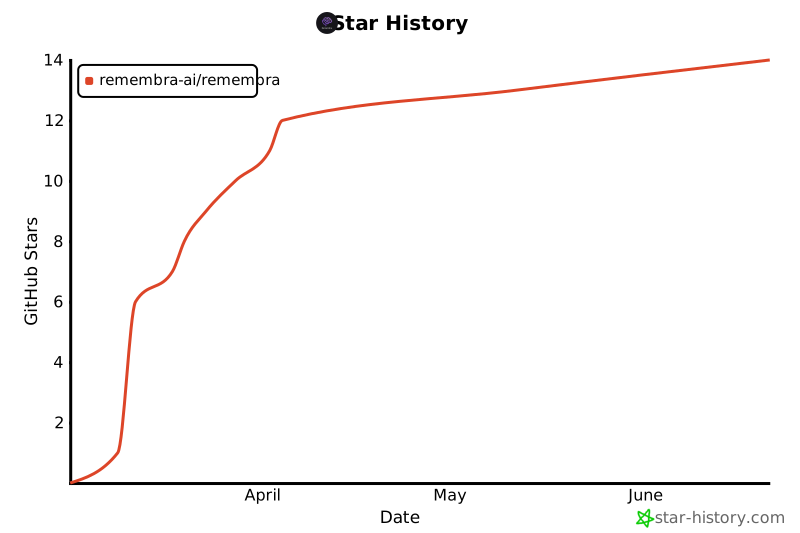
## ⭐ Star History
If Remembra helps you, please star the repo! It helps others discover the project.
[](https://star-history.com/#remembra-ai/remembra&Date)
---
<p align="center">
Built with ❤️ by <a href="https://dolphytech.com">DolphyTech</a><br>
<a href="https://remembra.dev">remembra.dev</a> • <a href="https://docs.remembra.dev">docs</a> • <a href="https://twitter.com/remembradev">twitter</a> • <a href="https://discord.gg/mPYQRKzXz5">discord</a>
</p>
历史前置条件说明(补充参考)
Python 与 pipx(README 安装命令使用 pipx);云端方式需 Remembra API key;自托管需 Docker、Qdrant、Ollama 及模型下载。MCP 客户端支持情况见 README,Windsurf、Cursor 钩子未验证。费用:云端有免费与付费计划,价格以官方为准;自托管代码 MIT,基础设施与模型费用待核验。Windows 上 Claude Desktop 配置不被检测或写入。国内网络与合规适配待核验。
项目来源与清单版权许可
https://github.com/remembra-ai/remembra
整理来源:https://github.com/slavakurilyak/awesome-ai-agents
清单版权与许可:
MIT License
Copyright (c) 2024 Slava Kurilyak
Permission is hereby granted, free of charge, to any person obtaining a copy of this software and associated documentation files (the "Software"), to deal in the Software without restriction, including without limitation the rights to use, copy, modify, merge, publish, distribute, sublicense, and/or sell copies of the Software, and to permit persons to whom the Software is furnished to do so, subject to the following conditions:
The above copyright notice and this permission notice shall be included in all copies or substantial portions of the Software.
THE SOFTWARE IS PROVIDED "AS IS", WITHOUT WARRANTY OF ANY KIND, EXPRESS OR IMPLIED, INCLUDING BUT NOT LIMITED TO THE WARRANTIES OF MERCHANTABILITY, FITNESS FOR A PARTICULAR PURPOSE AND NONINFRINGEMENT. IN NO EVENT SHALL THE AUTHORS OR COPYRIGHT HOLDERS BE LIABLE FOR ANY CLAIM, DAMAGES OR OTHER LIABILITY, WHETHER IN AN ACTION OF CONTRACT, TORT OR OTHERWISE, ARISING FROM, OUT OF OR IN CONNECTION WITH THE SOFTWARE OR THE USE OR OTHER DEALINGS IN THE SOFTWARE.