 AI仙宝
项目介绍
Agent 配套工具 · 2026-11-09 更新 · 本站尚未实测
LocalGPT 是一套完全私有、可本地部署的文档智能平台。按 README 的定位,它让用户对自己的文件提问、做摘要并挖掘信息,且数据不离开本机。它不只是传统 RAG 工具:检索侧使用稠密向量检索与 LanceDB 原生全文检索组成的混合搜索引擎,由交叉编码器重排序器裁决,并用“智能路由”在 RAG 与直接 LLM 回答之间为每个查询做选择。
架构被描述为模块化、轻量:RAG 核心是建立在 Python 标准库 HTTP server 上的普通 Python 代码,“没有 Web 框架,也没有 Agent 框架挡在中间”。因此它更适合被理解为可自行部署的文档问答框架/应用,而非某个 Agent 或工作流文件。
核心能力
点击能力名称查看输入、输出和原文依据。
- 文档解析:支持 PDF、DOCX、HTML/HTM、Markdown、TXT,由 Docling 解析;无文本层的 PDF 会走 Docling 的 OCR 流程,引擎按本机已安装情况选择。
- 混合检索:
hybrid(默认,向量与全文两路并行,用 RRF 融合)、vector_only、fts_only三种检索模式。 - 重排序:默认启用交叉编码器重排序,并采用校准后的分数筛选;重排序模型加载失败时记录警告并跳过,而不是换用其他模型。
- 查询分解与回答:复杂问题可拆成子问题分别检索,候选汇总后统一重排与合成;回答返回所依据的文本片段。
- 可选项:Late Chunking(默认关闭)、回答验证(默认关闭,输出置信度标注)、句子级 Provence 剪枝、语义缓存(相似度阈值 0.98,按会话范围)、文档概览。
- API 与界面:后端网关监听 8000 端口,RAG API 监听 8001 端口;提供 Web 界面与会话、索引管理,支持 SSE 流式阶段输出。
实际应用场景
适用场景
适合对数据外发敏感、希望在自己机器上完成文档问答与检索的团队或个人:例如内部制度、技术文档、手册类资料的问答与摘要。README 的评测集覆盖技术 RFC、并购文档、服务手册、HR 政策等语料,可作为选型参考,但具体业务效果需自行验证。若只需要在线托管问答、或不愿维护本地模型与服务,则本项目的定位并不匹配。
安装与接入
README 给出的前置条件:Python 3.10+(推荐 3.11)、Node.js 20+ 与 npm、Docker(可选)、8GB+ 内存(推荐 16GB+),并且两种部署方式都需要 Ollama。
Docker 方式(原文命令):
git clone https://github.com/PromtEngineer/localGPT.git
进入仓库目录后,Docker 部署请按 README 的安装、模型下载和 start-docker.sh 步骤操作。直接开发方式依次执行 pip install -r requirements.txt、npm install,安装并启动 Ollama 并拉取上述两个模型,再运行 python run_system.py。也可手动分四个终端分别启动 Ollama、python -m rag_system.api_server、backend/server.py、npm run dev。
使用条件与限制
- 是否需要部署
- 需自行准备运行环境,具体要求见正文
- 是否需要注册
- 账号和认证要求见正文;未明确说明的项目仍待核验
- 是否需要 API Key
- 待核验
- 费用与额度
- 费用边界见正文,项目许可不代表模型或托管服务免费
- 所需权限
- 待核验
- 许可证与服务条款
- 待核验
权限费用与限制
- 代码仓库为 MIT 许可,但这不等于模型、HuggingFace 下载或任何第三方服务免费;模型许可需逐个向模型来源核验。
- 所有配置均有默认值,可不建
.env直接运行;若使用受限模型下载,README 提到HF_TOKEN变量,是否需要取决于所选模型,待核验。 - 项目声称数据留在本机,但首次下载嵌入/重排模型需访问 HuggingFace,是否构成境外依赖与网络要求待核验。
- 不存在公开的价格信息;如后续出现商业或托管服务,费用应向官方核验。
- Windows 仅在“安装系统依赖”中给出“安装 Python 3.10+、Node.js 20+ 和 Docker Desktop,然后使用 PowerShell 或 WSL2”的说明,未给出 Windows 完整验证结论,待核验。
国内使用情况
网友核验 用户经验分享
与站长实测独立,不代表官方认证或本站已实测。
最近核验:暂无有效核验。参与人数按当前项目有效身份去重;不同核验项分别统计,不合并成用户总结果。仅统计审核通过且未过期的记录。
分项统计、有效期与样本量
| 核验项目 | 有效人数 | 成功 / 部分 / 失败 / 无法判断 | 成功率 | 最近核验 / 有效期 |
|---|---|---|---|---|
| 官方网站访问 | 0 | 0 / 0 / 0 / 0 | 样本不足 | 暂无 / 7 天 |
| GitHub 仓库访问 | 0 | 0 / 0 / 0 / 0 | 样本不足 | 暂无 / 7 天 |
| 安装与运行 | 0 | 0 / 0 / 0 / 0 | 样本不足 | 暂无 / 30 天 |
| 官方服务国内连接 / MCP 连接 | 0 | 0 / 0 / 0 / 0 | 样本不足 | 暂无 / 30 天 |
| 国内网络情况 | 0 | 0 / 0 / 0 / 0 | 样本不足 | 暂无 / 7 天 |
| 国内模型兼容性 | 0 | 0 / 0 / 0 / 0 | 样本不足 | 暂无 / 30 天 |
| 自定义 API | 0 | 0 / 0 / 0 / 0 | 样本不足 | 暂无 / 30 天 |
| 海外服务依赖 | 0 | 0 / 0 / 0 / 0 | 样本不足 | 暂无 / 30 天 |
| 海外账号要求 | 0 | 0 / 0 / 0 / 0 | 样本不足 | 暂无 / 30 天 |
| 中文界面 | 0 | 0 / 0 / 0 / 0 | 样本不足 | 暂无 / 30 天 |
| 客户端兼容性 | 0 | 0 / 0 / 0 / 0 | 样本不足 | 暂无 / 30 天 |
| 账号及费用信息 | 0 | 0 / 0 / 0 / 0 | 样本不足 | 暂无 / 30 天 |
成功率 = 成功 ÷(成功 + 部分成功 + 失败);无法判断不计入分母。至少 5 份可判断结果才显示成功率。账号、费用、海外依赖与语言等事实项,成功表示核查结论与资料吻合,具体观察另行统计;不表示免费或没有海外依赖。不同网络、客户端和版本的结果不能直接等同。
最近有效核验
暂无审核通过且未过期的网友核验。欢迎提交真实使用记录。
查看全部有效核验 →国内实测状态:国内可用性待核验。协议兼容和官方资料说明不等于国内网络可用。
- 官方网站访问
- 尚未实测 待核验
- GitHub 仓库访问
- 尚未实测 待核验
- 官方服务国内连接
- 尚未实测 待核验
- 国内网络情况
- 尚未实测 待核验
- 国内模型兼容性
- 尚未实测 待核验
- 自定义 API
- 尚未实测 待核验
- 海外服务依赖
- 尚未实测 待核验
- 海外账号要求
- 尚未实测 待核验
- 中文界面
- 尚未实测 待核验
- 国内最后核验时间
- 尚未实测
许可与国内使用
仓库 LICENSE 为 MIT(Copyright (c) 2025 PromptEngineer),覆盖仓库代码;Ollama 分发的模型、HuggingFace 上的嵌入与重排模型各自适用其自身许可,须分别核验。仓库未声明托管服务或商业模块,故不存在可据以判断的服务条款。国内使用方面,README 未给出中国大陆网络环境、镜像源或合规说明,本地部署是否可访问模型下载站点、推理性能是否满足要求均待核验,不应默认“国内可直接使用”。
项目资料与来源
字段依据与待核验事项
access:来源确认 · git clone https://github.com/PromtEngineer/localGPT.git
project_type:来源确认 · The RAG core is plain Python built on the standard library's HTTP server, with no web framework and no agent framework in the way.
原始 README(折叠技术参考)
# LocalGPT - Private Document Intelligence Platform
<div align="center">
<p align="center">
<a href="https://trendshift.io/repositories/2947" target="_blank"><img src="https://trendshift.io/api/badge/repositories/2947" alt="PromtEngineer%2FlocalGPT | Trendshift" style="width: 250px; height: 55px;" width="250" height="55"/></a>
</p>
[](https://github.com/PromtEngineer/localGPT/stargazers)
[](https://github.com/PromtEngineer/localGPT/network/members)
[](https://github.com/PromtEngineer/localGPT/issues)
[](https://github.com/PromtEngineer/localGPT/pulls)
[](https://www.python.org/downloads/)
[](LICENSE)
[](https://www.docker.com/)
<p align="center">
<a href="https://x.com/engineerrprompt">
<img src="https://img.shields.io/badge/Follow%20on%20X-000000?style=for-the-badge&logo=x&logoColor=white" alt="Follow on X" />
</a>
<a href="https://discord.gg/tUDWAFGc">
<img src="https://img.shields.io/badge/Join%20our%20Discord-5865F2?style=for-the-badge&logo=discord&logoColor=white" alt="Join our Discord" />
</a>
</p>
</div>
## 🚀 What is LocalGPT?
LocalGPT is a **fully private, on-premise Document Intelligence platform**. Ask questions, summarise, and uncover insights from your files with state-of-the-art AI—no data ever leaves your machine.
More than a traditional RAG (Retrieval-Augmented Generation) tool, LocalGPT features a **hybrid search engine** that fuses dense vector search with LanceDB's native full-text search, arbitrated by a **calibrated cross-encoder reranker**. A **smart router** picks between RAG and direct LLM answering for every query, while **contextual enrichment** and sentence-level [Context Pruning](https://huggingface.co/naver/provence-reranker-debertav3-v1) surface only the most relevant content. Optional passes — [Late Chunking](https://jina.ai/news/late-chunking-in-long-context-embedding-models/), an independent answer **verification** step, and experimental multi-vector (late-interaction) retrieval — can be switched on per config; the defaults ship with exactly the components that earned their place in measured evaluations (see [`eval/decisions/`](eval/decisions/)).
The architecture is **modular and lightweight**—enable only the components you need. The RAG core is plain Python built on the standard library's HTTP server, with no web framework and no agent framework in the way.
## ▶️ Video
Watch this [video](https://youtu.be/JTbtGH3secI) to get started with LocalGPT.
| Home | Create Index | Chat |
|------|--------------|------|
|  |  |  |
## ✨ Features
- **Utmost Privacy**: Your data remains on your computer, ensuring 100% security.
- **Versatile Model Support**: Swap generation models freely via Ollama.
- **Diverse Embeddings**: HuggingFace embedding models (harrier-oss-v1, the Qwen3-Embedding family) or any Ollama embedding tag.
- **Reuse Your LLM**: Once downloaded, reuse your LLM without the need for repeated downloads.
- **API**: A REST gateway on port 8000 and the RAG API on port 8001 for building your own applications.
- **CUDA, MPS & CPU**: Embedding and reranking pick CUDA, then Apple MPS, then CPU automatically.
### 📖 Document Processing
- **Formats**: PDF, DOCX, HTML/HTM, Markdown, and TXT, parsed by [Docling](https://github.com/docling-project/docling)
- **OCR fallback**: PDFs with no text layer are re-run through Docling's OCR pipeline; the engine is chosen from whatever is installed (OcrMac on macOS, then EasyOCR, RapidOCR, tesserocr, or the `tesseract` CLI)
- **Contextual Enrichment**: Chunk-level context generated by a small LLM, inspired by [Contextual Retrieval](https://www.anthropic.com/news/contextual-retrieval)
- **Late Chunking** (off by default): A second, document-level embedding pass stored in a companion `<table>_lc` table. The 2026-08-18 component ablation measured its removal at the noise floor on single-turn quality while it doubles the vectors written per index, so it now ships disabled; one flag (`retrieval.latechunk.enabled`) re-enables both the index-time build and the query-time leg — multi-turn conversations with drifting phrasing are where it earns its cost
- **Document Overviews**: A short per-document summary written to `index_store/overviews/<id>.jsonl` and used by the router
### 🤖 AI-Powered Chat
- **Natural Language Queries**: Ask questions in plain English
- **Source Attribution**: Answers come back with the chunks they were grounded in
- **Smart Routing**: Chooses between RAG and a direct LLM answer per query
- **Query Decomposition**: Splits complex questions into sub-questions, retrieves per sub-question, then pools the candidates for one rerank and one synthesis pass (per-sub-answer composition is available as an option)
- **Reciprocal Rank Fusion**: Vector and full-text hits are fused with RRF — no weights to tune
- **Reranking**: A cross-encoder pass over the fused candidate set, on by default with calibrated score-based selection ([`eval/DECISIONS.md`](eval/DECISIONS.md))
- **Sentence Pruning**: Optional Provence pruning drops irrelevant sentences from each chunk
- **Semantic Caching**: TTL cache with a 0.98 similarity threshold, scoped to the session
- **Answer Verification** (off by default): A second pass that appends `[Confidence: N%]` to the answer. Ablation measured zero verdict flips from disabling it — it annotates rather than changes answers — so it ships disabled; re-enable with `verification.enabled`
### 🛠️ Developer-Friendly
- **RESTful APIs**: Every UI action is a documented HTTP call
- **Streaming phases**: Server-Sent Events expose each pipeline stage as it runs
- **Flexible Configuration**: Models, chunk size, retrieval mode and toggles per request
- **One master config**: `rag_system/main.py` holds every default, overridable by environment variable
### 🎨 Modern Interface
- **Intuitive Web UI**: Clean, responsive design
- **Session Management**: Organize conversations by topic
- **Index Management**: Easy document collection management
- **Live Progress**: Retrieval, reranking and synthesis stages stream into the chat as they happen
---
## 🚀 Quick Start
### Prerequisites
- Python 3.10+ (3.11 recommended — the Docker images use `python:3.11-slim`)
- Node.js 20+ and npm
- Docker (optional, for containerized deployment)
- 8GB+ RAM (16GB+ recommended)
- Ollama (required for both deployment approaches)
### Option 1: Docker Deployment
```bash
# Clone the repository
git clone https://github.com/PromtEngineer/localGPT.git
cd localGPT
# Install Ollama locally (recommended even for Docker)
curl -fsSL https://ollama.ai/install.sh | sh
ollama pull qwen3.5:9b
ollama pull qwen3.5:4b
# Start Ollama
ollama serve
# Start with Docker (in a new terminal)
./start-docker.sh
# Access the application
open http://localhost:3000
```
If you would rather not install Ollama on the host, run it as a container instead:
```bash
./start-docker.sh container
# then pull the models inside the container
docker compose --profile with-ollama exec ollama ollama pull qwen3.5:9b
docker compose --profile with-ollama exec ollama ollama pull qwen3.5:4b
```
`./start-docker.sh` (with no argument) uses local Ollama. If nothing is listening on
port 11434 it offers to switch to the containerized Ollama; add `-y` (or set
`NONINTERACTIVE=1`) to take that fallback without a prompt in scripts and CI.
**Docker Management Commands:**
```bash
# Check container status
docker compose ps
# View logs
docker compose logs -f
# Stop containers
./start-docker.sh stop
```
### Option 2: Direct Development (Recommended for Development)
```bash
# Clone the repository
git clone https://github.com/PromtEngineer/localGPT.git
cd localGPT
# Install Python dependencies
pip install -r requirements.txt
# Key dependencies installed:
# - torch==2.4.1, transformers==4.51.0 (embedding + reranker models)
# - lancedb (vector store and full-text search)
# - rerankers (cross-encoder reranking)
# - docling (document parsing)
# Install Node.js dependencies
npm install
# Install and start Ollama
curl -fsSL https://ollama.ai/install.sh | sh
ollama pull qwen3.5:9b
ollama pull qwen3.5:4b
ollama serve
# Start the system (in a new terminal)
python run_system.py
# Access the application
open http://localhost:3000
```
**System Management:**
```bash
# Check system health (loads the models and runs a sample query)
python system_health_check.py
# Real HTTP health checks against each service; exits non-zero if one is unhealthy
python run_system.py --health
# Start in production mode (runs `npm run build` before `next start`)
python run_system.py --mode prod
# Skip frontend (Ollama + RAG API + backend only)
python run_system.py --no-frontend
# Tail logs/*.log from another shell
python run_system.py --logs-only
# Stop everything recorded in logs/run_system.pid
python run_system.py --stop
# Or press Ctrl+C in the terminal running python run_system.py
```
**Service Architecture:**
The `run_system.py` launcher manages four services and writes their PIDs to `logs/run_system.pid`:
- **Ollama Server** (port 11434): model serving — reused if already running
- **RAG API Server** (port 8001): indexing, retrieval and the agent loop
- **Backend Server** (port 8000): sessions, indexes, uploads, chat history
- **Frontend Server** (port 3000): Next.js web interface (optional — skipped if `npm` is missing)
On startup the launcher checks that `qwen3.5:9b` and `qwen3.5:4b` are present and
runs `ollama pull` for anything missing.
### Option 3: Manual Component Startup
```bash
# Terminal 1: Start Ollama
ollama serve
# Terminal 2: Start RAG API
python -m rag_system.api_server
# equivalently: python -m rag_system.main api --port 8001
# Terminal 3: Start Backend
python backend/server.py
# Terminal 4: Start Frontend
npm run dev
# Access at http://localhost:3000
```
> Run every command from the repository root. Relative paths (`backend/chat_data.db`,
> `lancedb/`, `index_store/`, `shared_uploads/`) resolve against the current working
> directory, so `cd backend && python server.py` would create a second database at
> `backend/backend/chat_data.db`.
---
### Detailed Installation
#### 1. Install System Dependencies
**Ubuntu/Debian:**
```bash
sudo apt update
sudo apt install python3.11 python3-pip nodejs npm docker.io docker-compose-plugin
```
**macOS:**
```bash
brew install python@3.11 node docker
```
**Windows:**
```bash
# Install Python 3.10+, Node.js 20+, and Docker Desktop
# Then use PowerShell or WSL2
```
#### 2. Install AI Models
Only the two Ollama models need an explicit pull. The embedding model
(`microsoft/harrier-oss-v1-0.6b`, 1.2 GB) is downloaded from HuggingFace the
first time it is used; the reranker (~7.5 GB) is loaded lazily — downloaded
on the first reranked query.
```bash
# Install Ollama
curl -fsSL https://ollama.ai/install.sh | sh
# Pull the default models
ollama pull qwen3.5:9b # answer generation
ollama pull qwen3.5:4b # routing, triage, enrichment, verification
```
#### 3. Configure Environment (optional)
Every setting has a working default, so LocalGPT runs with no `.env` at all.
To override one, create a `.env` in the repository root (`rag_system/main.py`
calls `load_dotenv()` at import, before its config constants are evaluated; the
factory calls it again defensively). `.env.example` lists the same variables
with their code defaults.
| Variable | Default | Read by |
|----------|---------|---------|
| `OLLAMA_HOST` | `http://localhost:11434` | `rag_system/main.py`, `backend/ollama_client.py` |
| `RAG_API_URL` | `http://localhost:8001` | `backend/server.py` (builds `/chat` and `/index`) |
| `NEXT_PUBLIC_API_URL` | `http://localhost:8000` | `src/lib/api.ts` — inlined at `npm run build` |
| `NEXT_PUBLIC_RAG_API_URL` | `http://localhost:8001` | `src/lib/api.ts` — inlined at `npm run build` |
| `DB_PATH` | `backend/chat_data.db` | `backend/database.py` |
| `LANCEDB_PATH` | `storage.lancedb_uri` (`./lancedb`) | `rag_system/main.py` (pipeline profiles), `backend/database.py`, `system_health_check.py` |
| `GENERATION_MODEL` | `qwen3.5:9b` | `rag_system/main.py`, `backend/server.py`, `run_system.py` |
| `ENRICHMENT_MODEL` | `qwen3.5:4b` | `rag_system/main.py`, `backend/server.py`, `run_system.py` |
| `EMBEDDING_MODEL` | `microsoft/harrier-oss-v1-0.6b` | `rag_system/main.py` |
| `RERANKER_MODEL` | `Qwen/Qwen3-Reranker-4B` (loaded lazily on the first reranked query) | `rag_system/main.py` |
| `RAG_CONFIG_MODE` | `default` | `rag_system/api_server.py` (`default` or `fast`) |
| `RAG_API_TIMEOUT` | `600` | `backend/server.py` (seconds to wait for a chat answer) |
| `RAG_API_INDEX_TIMEOUT` | `3600` | `backend/server.py` (seconds to wait for an indexing run) |
| `LLM_BACKEND` | `ollama` | `rag_system/main.py` (`ollama` or `watsonx`) |
| `HF_TOKEN` | unset | HuggingFace, for gated model downloads |
`NEXT_PUBLIC_*` values are baked into the frontend bundle by `next build`.
Changing them requires a rebuild (`npm run build`, or `docker compose build frontend`).
> **Changing `EMBEDDING_MODEL` invalidates existing indexes.** Vector width is read
> from the loaded model, and appending vectors of a different width to an existing
> LanceDB table raises an error telling you to rebuild. Re-create your indexes after
> switching embedding models.
#### 4. Initialize the System
```bash
# Run system health check
python system_health_check.py
# Initialize the SQLite database
python -c "from backend.database import ChatDatabase; ChatDatabase().init_database()"
# Test the RAG imports
python -c "from rag_system.factory import get_agent; print('✅ Installation successful!')"
# Validate the running services
python run_system.py --health
```
---
## 🎯 Getting Started
### 1. Create Your First Index
An **index** is a collection of processed documents that you can chat with.
#### Using the Web Interface:
1. Open http://localhost:3000
2. Click "Create New Index"
3. Upload your documents (PDF, DOCX, TXT, MD, HTML)
4. Configure processing options
5. Click "Build Index"
#### Using the CLI:
```bash
# Index a single file or a whole directory with the 'default' profile
python -m rag_system.main index ./my_documents
# Use the speed-optimised profile instead
python -m rag_system.main index ./my_documents --mode fast
# Ask one question and print the JSON result
python -m rag_system.main chat "What are the key findings?"
```
`index` walks a directory for `.pdf`, `.docx`, `.html`, `.htm`, `.md` and `.txt`
files. It writes into the profile's `storage.text_table_name` (`text_pages_v4`),
which is *not* the per-index table the web UI creates.
#### Using the interactive script (creates a UI-visible index):
```bash
# Guided prompts: name, documents, chunk size, models
python create_index_script.py
# Non-interactive, from a JSON file
python create_index_script.py --create-sample # writes index_config.sample.json
python create_index_script.py --batch index_config.sample.json
```
#### Using the HTTP API:
```bash
# Create index
curl -X POST http://localhost:8000/indexes \
-H "Content-Type: application/json" \
-d '{"name": "My Index", "description": "My documents"}'
# Upload documents (form field name must be "files")
curl -X POST http://localhost:8000/indexes/INDEX_ID/upload \
-F "files=@document.pdf"
# Build index
curl -X POST http://localhost:8000/indexes/INDEX_ID/build \
-H "Content-Type: application/json" \
-d '{"chunk_size": 512, "enable_enrich": true, "enable_latechunk": true}'
```
### 2. Start Chatting
Once your index is built:
1. **Create a Chat Session**: Click "New Chat" or use an existing session
2. **Select Your Index**: Choose which document collection to query
3. **Ask Questions**: Type natural language questions about your documents
4. **Get Answers**: Receive AI-generated responses with source citations
### 3. Advanced Features
#### Per-session and per-request model choice
```bash
# The session's default generation model
curl -X POST http://localhost:8000/sessions \
-H "Content-Type: application/json" \
-d '{"title": "High Quality Session", "model": "qwen3.6:27b"}'
# Override it for one message
curl -X POST http://localhost:8000/sessions/SESSION_ID/messages \
-H "Content-Type: application/json" \
-d '{"message": "Summarise section 3", "model": "qwen3.5:4b"}'
```
The embedding model is a property of the index, not the session — choose it when
you build the index.
#### API Integration
```python
import requests
# Talk to the RAG API directly
response = requests.post('http://localhost:8001/chat', json={
'query': 'What are the key findings in the research papers?',
'session_id': 'your-session-id',
'retrieval_mode': 'hybrid',
'retrieval_k': 20,
})
print(response.json()['answer'])
```
---
## 🔧 Configuration
All defaults live in `rag_system/main.py`. Every model name there can be
overridden with the environment variables listed above.
### Model Configuration
| Role | Default | Documented options |
|------|---------|--------------------|
| Generation (answers) | `qwen3.5:9b` | `qwen3.6:27b` (high-end, ~17GB), `qwen3.5:4b` (light) |
| Enrichment / utility (routing, triage, decomposition, verification) | `qwen3.5:4b` | `qwen3.5:2b` (light) |
| Embedding | `microsoft/harrier-oss-v1-0.6b` (MIT, 1024 dims) | `Qwen/Qwen3-Embedding-4B` (2560 dims, 32K context, for multilingual / long-context corpora), `Qwen/Qwen3-Embedding-0.6B` (1024 dims) |
| Reranker (on by default) | `Qwen/Qwen3-Reranker-4B` | `BAAI/bge-reranker-v2-m3` (low latency), `answerdotai/answerai-colbert-small-v1`, `Qwen/Qwen3-Reranker-0.6B` |
```python
# rag_system/main.py
OLLAMA_CONFIG = {
"host": os.getenv("OLLAMA_HOST", "http://localhost:11434"),
"generation_model": os.getenv("GENERATION_MODEL", "qwen3.5:9b"),
"enrichment_model": os.getenv("ENRICHMENT_MODEL", "qwen3.5:4b"),
}
EXTERNAL_MODELS = {
"embedding_model": os.getenv("EMBEDDING_MODEL", "microsoft/harrier-oss-v1-0.6b"),
"reranker_model": os.getenv("RERANKER_MODEL", "Qwen/Qwen3-Reranker-4B"),
}
```
Embedding dimensions are never hardcoded — they are measured from the vectors the
loaded model produces. If the reranker fails to load, the pipeline logs a warning
and continues **without** reranking rather than falling back to another model.
Vision / multimodal models are not part of the pipeline. PDF parsing and OCR are
handled by Docling. Models such as GLM-OCR or Qwen3-VL could be added as a
pre-processing step, but **they are not integrated today**.
### Pipeline Configuration
`PIPELINE_CONFIGS` has exactly two profiles. Select one with `RAG_CONFIG_MODE`
(RAG API) or `--mode` (CLI).
#### Default Pipeline (Production-Ready)
```python
"default": {
"description": "Production-ready pipeline with hybrid search, query decomposition, and verification",
"storage": {
"lancedb_uri": "./lancedb",
"text_table_name": "text_pages_v4"
},
"retrieval": {
"search_type": "hybrid",
# Off since the 2026-08-18 component ablation; one flag covers the
# index-time build and the query-time leg.
"latechunk": {"enabled": False},
"dense": {"enabled": True},
"retry": {"enabled": True, "min_top_score": 0.12, "max_attempts": 1},
# Phase-4 features, all off until benchmarked:
"document_escalation": {"enabled": False, "max_documents": 1, "token_budget": 6000},
"crossref_hop": {"enabled": False, "max_hops": 1, "chunks_per_hop": 3},
"overview_prefilter": {"enabled": False, "top_documents": 5, "mode": "boost"}
},
"embedding_model_name": EXTERNAL_MODELS["embedding_model"],
# On since arm G (2026-08-14): min_score keeps only candidates the
# calibrated Qwen scorer marks relevant (min_keep is the floor).
"reranker": {
"enabled": True,
"model_type": "cross-encoder",
"strategy": "rerankers-lib",
"model_name": EXTERNAL_MODELS["reranker_model"],
"top_k": 10,
"min_score": 0.5,
"min_keep": 3
},
# Arm H (2026-08-15): per-sub-query retrieval, pooled + deduped
# candidates, ONE rerank + ONE synthesis over the union context. The
# compose path (answer each sub-question, then compose) remains
# available via compose_from_sub_answers / the UI toggle.
# Two-variant decomposer: single-turn questions use a frozen prompt;
# multi-turn requests get a history-aware variant that resolves
# references to earlier turns. resolve_only skips splitting and uses
# only the resolved query (measured neutral; kept as an option).
"query_decomposition": {
"enabled": True,
"compose_from_sub_answers": False,
"pooled_first_stage": True,
"resolve_only": False
},
# Off by default: measured annotate-only (zero verdict flips in ablation).
"verification": {"enabled": False},
"retrieval_k": 20,
"context_window_size": 0,
"semantic_cache_threshold": 0.98,
"cache_scope": "session",
"contextual_enricher": {"enabled": True, "window_size": 1},
"indexing": {
"embedding_batch_size": 50,
"enrichment_batch_size": 10,
"extract_crossrefs": True
}
}
```
#### Fast Pipeline (Speed-Optimized)
```python
"fast": {
"description": "Speed-optimized pipeline with minimal overhead",
"retrieval": {
"search_type": "vector_only",
"latechunk": {"enabled": False},
"dense": {"enabled": True}
},
"reranker": {"enabled": False},
"query_decomposition": {"enabled": False},
"verification": {"enabled": False},
"retrieval_k": 10,
"contextual_enricher": {"enabled": False},
"indexing": {
"embedding_batch_size": 100,
"enrichment_batch_size": 50
}
}
```
### Retrieval Modes
`retrieval_mode` (wire name; `search_type` inside the pipeline config) accepts:
| Value | Behaviour |
|-------|-----------|
| `hybrid` *(default)* | Vector and LanceDB full-text legs run in parallel and are fused with Reciprocal Rank Fusion |
| `vector_only` | Dense vector search only |
| `fts_only` | LanceDB full-text search only |
Anything else is rejected with HTTP 400 by the RAG API. There is no
`dense_weight` / `denseWeight` knob — RRF needs no weights.
### Experimental: multi-vector (late-interaction) retrieval
The repo carries env-gated hooks for ColBERT-style multi-vector retrieval,
served by an out-of-process sidecar (SentenceTransformers v6 needs a newer
torch/transformers stack than the pinned in-repo one). All measured, none
default — the full study is in `eval/decisions/multivector-retrieval-2026-08-19.md`,
`paraphrase-robustness-2026-08-20.md` and `union-fusion-2026-08-20.md`:
| Env | Behaviour | Measured verdict |
|-----|-----------|------------------|
| `MV_RETRIEVAL_ENDPOINT` | Multi-vector MaxSim replaces the dense leg | Loses on both document-phrased and paraphrased queries |
| + `MV_RRF_LEG=1` | Multi-vector runs as a third RRF leg | Break-even; small gain only on paraphrased queries |
| + `MV_UNION=1` | All three legs' candidates are unioned (no RRF cut) and the reranker arbitrates | Best config for paraphrase-heavy / conversational queries (+4/120 real); costs −3/120 on document-phrased queries |
Rule of thumb: if your users quote the documents' own vocabulary, keep the
default 2-leg hybrid; if they ask in their own words, `MV_UNION=1` is the
measured winner (at ~30–40% extra query latency plus the sidecar process).
## 🔬 Evaluation
Every retrieval component in the default profile earned its place in a measured
A/B — and several plausible features are off because they measurably didn't
(late chunking, verification, cross-ref hops, document escalation, multi-vector
retrieval). The harness lives in `eval/`:
- `eval/goldset/` — five 24-question corpora (technical RFCs, M&A documents,
a service manual, HR policy, this project's docs), a 12-conversation
multi-turn set (`multiturn.jsonl`), and `paraphrases.jsonl` — verified
same-meaning rewrites of all 120 questions with ~0.21 content-word overlap,
for measuring robustness to users who don't phrase queries like the documents.
- `eval/judge.py` — the groundedness judge (deterministic local model or a
stronger LLM via `JUDGE_MODEL`); judged comparisons use blind multi-voter
panels on every changed row.
- `eval/decisions/` — one dated record per experiment: setup, numbers,
flip-level panel verdicts, and the decision. If you want to know why a
default is what it is, the answer is in there.
---
## 🛠️ Troubleshooting
### Common Issues
#### Installation Problems
```bash
# Check Python version
python --version # 3.10+ required, 3.11 recommended
# Check dependencies
pip list | grep -E "(torch|transformers|lancedb|docling|rerankers)"
# Reinstall dependencies
pip install -r requirements.txt --force-reinstall
```
#### Model Loading Issues
```bash
# Check Ollama status
ollama list
curl http://localhost:11434/api/tags
# Pull missing models
ollama pull qwen3.5:9b
ollama pull qwen3.5:4b
```
#### Database Issues
```bash
# Check database connectivity
python -c "from backend.database import ChatDatabase; db = ChatDatabase(); print('✅ Database OK')"
# Reset database (WARNING: This deletes all sessions, messages and index metadata)
rm backend/chat_data.db
python -c "from backend.database import ChatDatabase; ChatDatabase().init_database()"
```
#### Dimension mismatch after changing the embedding model
```
ValueError: ... changing the embedding model requires rebuilding the index
```
Delete the affected index in the UI (or `DELETE /indexes/{id}`) and rebuild it.
#### Performance Issues
```bash
# Check system resources
python system_health_check.py
# Monitor memory usage
htop # or Task Manager on Windows
# Use lighter models (the default embedder is already the small one at 1.2GB)
export GENERATION_MODEL=qwen3.5:4b
```
### Getting Help
1. **Check Logs**: `run_system.py` writes structured logs to `logs/`:
- `logs/system.log`: launcher events
- `logs/ollama.log`, `logs/rag-api.log`, `logs/backend.log`, `logs/frontend.log`: per-service output
- `logs/run_system.pid`: PIDs used by `--stop`
2. **System Health**: Run diagnostics:
```bash
python system_health_check.py # loads models, runs a sample query
python run_system.py --health # HTTP checks, non-zero exit on failure
```
3. **Health Endpoints**:
- Backend: `http://localhost:8000/health`
- RAG API: `http://localhost:8001/health`
- Ollama: `http://localhost:11434/api/tags`
4. **Documentation**: See [Documentation/system_overview.md](Documentation/system_overview.md), and [Documentation/design_rationale.md](Documentation/design_rationale.md) for why each component is built the way it is — with the evidence and the eval numbers behind every default, plus a "deliberately not implemented" list
5. **GitHub Issues**: Report bugs and request features
6. **Community**: Join our Discord
---
## 🔗 API Reference
Two HTTP services. The backend gateway on **:8000** owns sessions, indexes,
uploads and chat history; the RAG API on **:8001** owns retrieval and indexing.
Both accept `snake_case` and `camelCase` spellings of every option and normalise
them to one canonical key.
### Backend gateway — http://localhost:8000
```http
GET /health # {status, ollama_running, available_models, database_stats}
GET /models # {generation_models, embedding_models}
GET /sessions # {sessions, total}
POST /sessions # {title?, model?} -> 201 {session, session_id}
GET /sessions/{id} # {session, messages}
DELETE /sessions/{id} # {deleted: true}
GET /sessions/cleanup # removes empty sessions
POST /sessions/{id}/rename # {title} -> {message, session}
GET /sessions/{id}/documents # {session, files, file_count}
GET /sessions/{id}/indexes # {indexes, total}
POST /sessions/{id}/indexes/{index_id} # link an index to a session
POST /sessions/{id}/upload # multipart/form-data, field "files"
POST /sessions/{id}/index # index this session's uploads
POST /sessions/{id}/messages # chat (see below)
GET /indexes # {indexes, total}
POST /indexes # {name, description?, metadata?} -> 201 {index_id}
GET /indexes/{id}
DELETE /indexes/{id} # also drops the LanceDB table
POST /indexes/{id}/upload # multipart/form-data, field "files"
POST /indexes/{id}/build # build/rebuild from uploaded documents
POST /chat # session-less Ollama chat, no retrieval
```
#### Session chat
```http
POST /sessions/{session_id}/messages
Content-Type: application/json
{
"message": "What are the main topics discussed?",
"model": "qwen3.5:9b",
"retrieval_mode": "hybrid",
"retrieval_k": 20,
"reranker_top_k": 10,
"context_window_size": 1,
"ai_rerank": true,
"context_expand": true,
"query_decompose": true,
"compose_sub_answers": true,
"verify": true,
"provence_prune": false,
"provence_threshold": 0.1,
"force_rag": false
}
```
Response:
```json
{
"response": "…",
"session": { "...": "updated session row" },
"source_documents": [],
"used_rag": true
}
```
The backend decides per message whether to answer directly with Ollama or to
forward to the RAG API. `force_rag: true` skips that decision and always calls the
RAG API. Both the user message and the answer are written to SQLite on this path.
### RAG API — http://localhost:8001
```http
GET /health # {"status": "ok"}
GET /models # {generation_models, embedding_models}
POST /chat # {answer, source_documents}
POST /chat/stream # Server-Sent Events, terminated by a "complete" event
POST /index # run the indexing pipeline over file_paths
```
#### `POST /chat` and `POST /chat/stream`
```json
{
"query": "Explain the methodology",
"session_id": "uuid",
"table_name": "text_pages_<index_id>",
"model": "qwen3.5:9b",
"retrieval_mode": "hybrid",
"retrieval_k": 20,
"context_window_size": 1,
"reranker_top_k": 10,
"ai_rerank": true,
"context_expand": true,
"query_decompose": true,
"compose_sub_answers": true,
"verify": true,
"force_rag": false,
"provence_prune": false,
"provence_threshold": 0.1
}
```
`/chat` returns `{"answer": "...", "source_documents": [...]}`. There is no
top-level `confidence` field — when verification runs it appends
`[Confidence: N%]` (and a low-confidence warning) to the answer text itself.
`/chat/stream` emits `data: {"type": "<phase>", "data": {...}}` lines and ends
with a `complete` event carrying the same object `/chat` would return.
`force_rag: true` skips the agent's triage step so the query always goes through
retrieval; `verify`, `ai_rerank`, `query_decompose` and `compose_sub_answers`
still apply. An unsupported `retrieval_mode` is rejected with HTTP 400.
#### `POST /index`
```json
{
"file_paths": ["/abs/path/doc1.pdf", "/abs/path/doc2.pdf"],
"session_id": "uuid",
"table_name": "text_pages_<index_id>",
"chunk_size": 512,
"window_size": 2,
"retrieval_mode": "hybrid",
"enable_enrich": true,
"enable_latechunk": false,
"enable_docling_chunk": true,
"embedding_model": "microsoft/harrier-oss-v1-0.6b",
"enrich_model": "qwen3.5:4b",
"overview_model_name": "qwen3.5:4b",
"batch_size_embed": 50,
"batch_size_enrich": 25
}
```
`file_paths` is required; the values above are the defaults applied when a field
is omitted. Response:
```json
{
"message": "Indexing process for 2 file(s) completed successfully.",
"table_name": "text_pages_<index_id>",
"latechunk": false,
"docling_chunk": true,
"indexing_config": {
"chunk_size": 512,
"retrieval_mode": "hybrid",
"window_size": 2,
"enable_enrich": true,
"embedding_model": "microsoft/harrier-oss-v1-0.6b",
"enrich_model": "qwen3.5:4b",
"overview_model_name": "qwen3.5:4b",
"batch_size_embed": 50,
"batch_size_enrich": 25
}
}
```
`retrieval_mode` at index time is validated and recorded with the index config;
it takes effect at query time. `enable_docling_chunk` defaults to `true`
(Docling structure-aware chunking); sending `false` selects the legacy chunker.
Indexing is synchronous — the call returns when
the pipeline finishes, which is why the backend allows up to
`RAG_API_INDEX_TIMEOUT` (default 3600s) for it.
For the full route table see [Documentation/api_reference.md](Documentation/api_reference.md).
### Known limitations
- **The RAG API is single-threaded.** Requests are serialised: one chat or
indexing run at a time. The backend gateway is threaded, so it stays responsive,
but a long RAG call blocks the next one.
- **Streamed turns are persisted after the fact.** The chat UI streams from
`:8001/chat/stream` directly and, when the stream completes, saves the finished
turn through the gateway (`POST /sessions/{id}/messages/save`). If the browser is
closed mid-stream, that turn is not saved.
- **Index metadata is per index, not per session.** Choosing a different embedding
model requires rebuilding the index.
---
## 🏗️ Architecture
```mermaid
graph TB
UI[Next.js UI :3000] --> API[Backend gateway :8000]
UI -. "SSE /chat/stream" .-> RAGAPI
API --> RAGAPI[RAG API :8001]
RAGAPI --> Agent[RAG Agent]
Agent --> Retrieval[Retrieval Pipeline]
Agent --> Ollama[Ollama :11434]
Retrieval --> Vector[Vector search]
Retrieval --> FTS[LanceDB full-text search]
Vector --> RRF[Reciprocal Rank Fusion]
FTS --> RRF
RRF --> Rerank["Cross-encoder rerank (on by default)"]
Vector --> LanceDB[(LanceDB)]
FTS --> LanceDB
API --> SQLite[(SQLite: sessions, messages, indexes)]
RAGAPI --> SQLite
```
Overview of the Retrieval Agent
```mermaid
graph TD
classDef llmcall fill:#e6f3ff,stroke:#007bff;
classDef pipeline fill:#e6ffe6,stroke:#28a745;
classDef cache fill:#fff3e0,stroke:#fd7e14;
A(Start: Agent.run) --> C{_run_async};
C --> C1[Get chat history];
C1 --> T0{force_rag?};
T0 -- Yes --> RAG_Path;
T0 -- No --> T1[Route via document overviews];
T1 --> T2["LLM triage fallback:<br/>rag_query | direct_answer"]; class T2 llmcall;
T2 --> T3{Decision?};
T3 -- rag_query --> RAG_Path;
T3 -- direct_answer --> LLM_Path;
subgraph RAG Path
RAG_Path --> R1[Format query + history];
R1 --> R2[Embed query]; class R2 pipeline;
R2 --> R3{{Semantic cache<br/>threshold 0.98, session-scoped}}; class R3 cache;
R3 -- Hit --> FinalResult;
R3 -- Miss --> R4{Decomposition enabled?};
R4 -- Yes --> R5[Decompose query]; class R5 llmcall;
R5 --> R6{{Retrieve per sub-query, then pool + dedupe the candidates}}; class R6 pipeline;
R6 --> R8[One rerank + one synthesis over the pooled context]; class R8 llmcall;
R8 --> V1(RAG answer);
R4 -- No --> R9[Run single query through the retrieval pipeline]; class R9 pipeline;
R9 --> V1;
V1 --> V2{{Verification}}; class V2 llmcall;
V2 --> R_Cache_Store{{Store in semantic cache}}; class R_Cache_Store cache;
R_Cache_Store --> FinalResult;
end
subgraph Direct LLM Path
LLM_Path --> L2[Generate answer without retrieval]; class L2 llmcall;
L2 --> FinalResult(Final result);
end
FinalResult --> R_Hist_Update(Update in-memory chat history);
R_Hist_Update --> ZZZ["End: return answer + source_documents"];
```
Inside the retrieval pipeline a query runs: embed → hybrid retrieve (vector +
FTS, fused with RRF) → optional late-chunk leg → cross-encoder rerank (on by
default) → context window expansion → optional Provence sentence
pruning → synthesis.
---
## 🤝 Contributing
We welcome contributions from developers of all skill levels! LocalGPT is an open-source project that benefits from community involvement.
### 🚀 Quick Start for Contributors
```bash
# Fork and clone the repository
git clone https://github.com/PromtEngineer/localGPT.git
cd localGPT
# Set up development environment
pip install -r requirements.txt
npm install
# Install Ollama and models
curl -fsSL https://ollama.ai/install.sh | sh
ollama pull qwen3.5:9b
ollama pull qwen3.5:4b
# Verify setup
python system_health_check.py
python run_system.py --mode dev
```
### 📋 How to Contribute
1. **🐛 Report Bugs**: Use our [bug report template](.github/ISSUE_TEMPLATE/bug_report.md)
2. **💡 Request Features**: Use our [feature request template](.github/ISSUE_TEMPLATE/feature_request.md)
3. **🔧 Submit Code**: Follow our [development workflow](CONTRIBUTING.md#development-workflow)
4. **📚 Improve Docs**: Help make our documentation better
### 📖 Detailed Guidelines
For comprehensive contributing guidelines, including:
- Development setup and workflow
- Coding standards and best practices
- Testing requirements
- Documentation standards
- Release process
**👉 See our [CONTRIBUTING.md](CONTRIBUTING.md) guide**
---
## 📄 License
This project is licensed under the MIT License - see the [LICENSE](LICENSE) file for details. For models, please check their respective licenses.
---
## 📞 Support
- **Documentation**: [Documentation/system_overview.md](Documentation/system_overview.md)
- **Issues**: [GitHub Issues](https://github.com/PromtEngineer/localGPT/issues)
- **Discussions**: [GitHub Discussions](https://github.com/PromtEngineer/localGPT/discussions)
- **Business Deployment and Customization**: [Contact Us](https://tally.so/r/wv6R2d)
---
<div align="center">
## Star History
[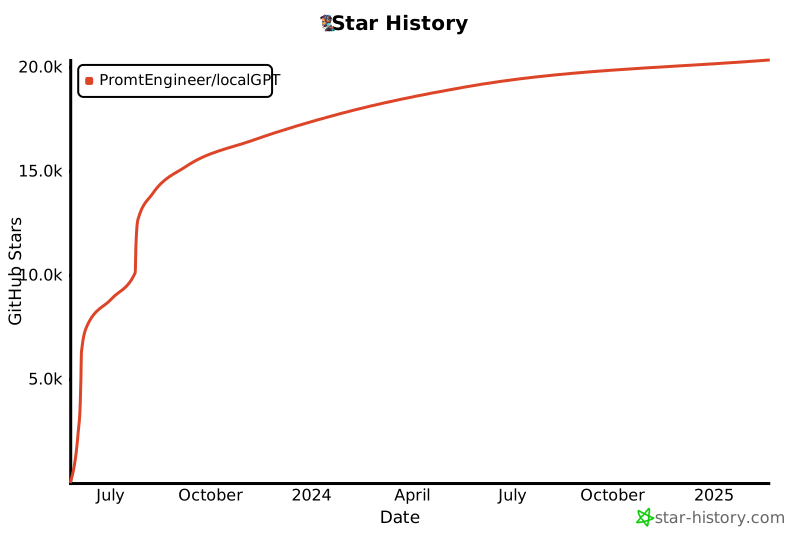](https://star-history.com/#PromtEngineer/localGPT&Date)
</div>
历史前置条件说明(补充参考)
Python 3.10+(推荐 3.11);Node.js 20+ 与 npm;Docker(可选);8GB+ 内存(推荐 16GB+);必须安装并运行 Ollama,拉取 qwen3.5:9b 与 qwen3.5:4b;嵌入与重排模型首次使用时从 HuggingFace 下载,需要的网络条件与 HF_TOKEN 待核验;费用与商业条款待核验。
项目来源与清单版权许可
https://github.com/PromtEngineer/localGPT
整理来源:https://github.com/slavakurilyak/awesome-ai-agents
清单版权与许可:
MIT License
Copyright (c) 2024 Slava Kurilyak
Permission is hereby granted, free of charge, to any person obtaining a copy of this software and associated documentation files (the "Software"), to deal in the Software without restriction, including without limitation the rights to use, copy, modify, merge, publish, distribute, sublicense, and/or sell copies of the Software, and to permit persons to whom the Software is furnished to do so, subject to the following conditions:
The above copyright notice and this permission notice shall be included in all copies or substantial portions of the Software.
THE SOFTWARE IS PROVIDED "AS IS", WITHOUT WARRANTY OF ANY KIND, EXPRESS OR IMPLIED, INCLUDING BUT NOT LIMITED TO THE WARRANTIES OF MERCHANTABILITY, FITNESS FOR A PARTICULAR PURPOSE AND NONINFRINGEMENT. IN NO EVENT SHALL THE AUTHORS OR COPYRIGHT HOLDERS BE LIABLE FOR ANY CLAIM, DAMAGES OR OTHER LIABILITY, WHETHER IN AN ACTION OF CONTRACT, TORT OR OTHERWISE, ARISING FROM, OUT OF OR IN CONNECTION WITH THE SOFTWARE OR THE USE OR OTHER DEALINGS IN THE SOFTWARE.