 AI仙宝
项目介绍
工作流 · 2026-11-09 更新 · 本站尚未实测
Orbi 是一个面向 GitHub 的开源(AGPL-3.0)自托管软件交付系统,README 将其定位为「software dark factory(软件暗工厂)」。它的工作方式是:在 GitHub Issue 中写清目标与验收标准,并打上 ai-ready 标签;Orbi 在隔离的 worktree 中实现代码、运行测试、发起 PR,再经过独立的评审、修复与合并流程;当用户请求发布时,它执行发布门禁并推送标签与发行说明。
按 README 描述,GitHub Issues 是唯一的状态存储,不需要额外数据库、队列或常驻守护进程。仓库页面本身即为交付记录(合并 PR、已关闭 Issue、打标签的发布)。
需要注意:项目以 Python 实现,当前 README 的安装说明要求较新的 Python 版本(源码安装标注 >= 3.14)。是否适合你的现有环境需自行核对。
核心能力
点击能力名称查看输入、输出和原文依据。
- Issue 驱动任务池:以
ai-ready标签派发工作,交付记录(评论、PR、CI)默认完整保留,不引入第二套任务系统。 - 计划—实现—测试—验证:由 Pi(README 中提到的开发代理与其 provider)执行开发环节,代理在提交(commit)处停止。
- 运行器收尾:同步最新基线、推送分支并创建 PR,PR 正文包含
Fixes #N。 - 独立评审与合并门禁:PR 打开后由独立评审会话审查并在同一会话中修复发现项;只有通过评审的 head 才可合并,且 README 声明 AI 不会合并或推送受保护分支。
- 失败快速暴露:命令出错立即失败并保留日志证据,Issue 会被标记
ai-blocked交人工决策,不做静默降级。 - 可观测:每条日志与 GitHub 进度评论携带同一个
run_id,便于用一次 grep 还原完整时间线。 - 命令行辅助:README 提及
orbi add(派发任务)、status(查看队列)、session(跟踪 Pi 会话)、install-units(幂等安装调度单元)、doctor(只读诊断)。
实际应用场景
适用场景
- 团队已经在 GitHub Issues 中管理缺陷与需求,希望把满足条件的 Issue 自动推进到「已评审、已合并的 PR」。
- 需要自托管、把代码与交付证据留在自有 GitHub 仓库中的团队。
- 希望按固定节奏(README 提到用户级调度器每 5 分钟触发一次 tick)批量推进小粒度任务的工程团队。
- 希望在发布环节复用门禁并自动生成标签与发行说明的项目。
若你只是需要一个聊天式编码助手,或没有 GitHub Issue 工作流的项目,Orbi 的形态并不匹配。
工作流导入与配置
工作流使用路径
确认平台与依赖 → 下载实际文件 → 导入平台 → 填写自己的凭据和变量 → 检查节点 → 手动测试。
该路径为编辑引导,不代表已完成运行;具体导入步骤和节点信息见下方项目资料。不存在文件时不会显示下载按钮。
安装与接入
README 给出的快速开始(源码方式)为:
git clone https://github.com/orbi-build/orbi.git && cd orbi
uv tool install --force --reinstall --editable --python python3 .  # compatible system Python (>= 3.14, e.g. Fedora 43 / current Arch); older (e.g. Ubuntu 24.04's 3.12): --python 3.14 so uv provisions it
仅使用 CLI 时,README 说明包名为 orbi-cli(要求 Python ≥ 3.14,命令仍为 orbi):uv tool install orbi-cli(系统 Python 较旧时加 --python 3.14 由 uv 提供),或在 Python ≥ 3.14 环境中 pip install orbi-cli;用 orbi --version 校验,用 uv tool uninstall orbi-cli 卸载。README 同时说明,要运行 Orbi 本体,应使用其 Getting started 文档顶部的一行安装脚本。
准备检查项(README 列出):uv --version;Pi 及其 provider(pi --version,再用 pi --print "reply with the single word: ok" 验证);GitHub CLI ≥ 2.94(README 指出 Ubuntu 24.04 自带 2.45.0 过旧),先 gh auth login,再用 gh auth status 核验;Linux 需 systemd 用户会话(systemctl --user status);macOS 需 launchd GUI 会话(launchctl print gui/$(id -u),README 注明尚未在真实硬件上验证)。
配置与首次运行(README 给出的步骤):
具体命令与各平台参数请分开参考原仓库安装章节,不要把可选方案组合执行。
其中需要在 orbi.toml 中设置 source_repos = ["OWNER/REPO"]。README 提到两种模式:bootstrap 以当前检出为 repo_dir,External single-repo 模式以当前检出为 deploy_home、以外来仓库为 repo_dir,详见其 Getting started 文档。
README 还提供托管形态 Orbi Cloud 的入口(orbi.build),以及 Docker 镜像(GHCR 与 Docker Hub)。两项均未在本次资料中提供具体接入参数。
使用条件与限制
- 是否需要部署
- 需自行准备运行环境,具体要求见正文
- 是否需要注册
- 账号和认证要求见正文;未明确说明的项目仍待核验
- 是否需要 API Key
- 待核验
- 费用与额度
- 费用边界见正文,项目许可不代表模型或托管服务免费
- 所需权限
- 待核验
- 许可证与服务条款
- 待核验
权限费用与限制
- 权限:Orbi 需要 GitHub CLI 授权以读取 Issue、创建分支与 PR、以及在门禁通过后合并;README 声明 AI 不会合并或推送受保护分支。仓库需要配置可用的 Pi 及其模型 provider 凭据,具体 provider 与密钥形态待核验。
- 自托管成本:README 称在自己的仓库上运行「永久免费」,个人或公司内部使用、任意规模、修改与自托管均无需额外授权。但模型调用、GitHub 服务与自有服务器资源产生的费用需自行承担,且费率未在资料中给出。
- 托管服务:README 提到 Orbi Cloud 可免费获得 3 次已合并交付、无需服务器与信用卡,并提供一次性优惠码。实际价格、额度与条款以官方页面为准,此处不作确认。
- 平台限制:README 的验证说明集中在 Linux(systemd)与 macOS(launchd),其中 macOS 路径标注尚未在真实硬件上验证。Windows 支持情况资料未说明,待核验。
- 模型依赖:README 明确依赖「Pi 及其 provider」,但未列出具体模型清单与是否支持国内模型,待核验。
- 成熟度:仓库未标记归档,但发布时间线与其自述的交付记录请以官方仓库为准;不建议在关键仓库上跳过人工复核。
国内使用情况
网友核验 用户经验分享
与站长实测独立,不代表官方认证或本站已实测。
最近核验:暂无有效核验。参与人数按当前项目有效身份去重;不同核验项分别统计,不合并成用户总结果。仅统计审核通过且未过期的记录。
分项统计、有效期与样本量
| 核验项目 | 有效人数 | 成功 / 部分 / 失败 / 无法判断 | 成功率 | 最近核验 / 有效期 |
|---|---|---|---|---|
| 官方网站访问 | 0 | 0 / 0 / 0 / 0 | 样本不足 | 暂无 / 7 天 |
| GitHub 仓库访问 | 0 | 0 / 0 / 0 / 0 | 样本不足 | 暂无 / 7 天 |
| 安装与运行 | 0 | 0 / 0 / 0 / 0 | 样本不足 | 暂无 / 30 天 |
| 官方服务国内连接 / MCP 连接 | 0 | 0 / 0 / 0 / 0 | 样本不足 | 暂无 / 30 天 |
| 国内网络情况 | 0 | 0 / 0 / 0 / 0 | 样本不足 | 暂无 / 7 天 |
| 国内模型兼容性 | 0 | 0 / 0 / 0 / 0 | 样本不足 | 暂无 / 30 天 |
| 自定义 API | 0 | 0 / 0 / 0 / 0 | 样本不足 | 暂无 / 30 天 |
| 海外服务依赖 | 0 | 0 / 0 / 0 / 0 | 样本不足 | 暂无 / 30 天 |
| 海外账号要求 | 0 | 0 / 0 / 0 / 0 | 样本不足 | 暂无 / 30 天 |
| 中文界面 | 0 | 0 / 0 / 0 / 0 | 样本不足 | 暂无 / 30 天 |
| 客户端兼容性 | 0 | 0 / 0 / 0 / 0 | 样本不足 | 暂无 / 30 天 |
| 账号及费用信息 | 0 | 0 / 0 / 0 / 0 | 样本不足 | 暂无 / 30 天 |
成功率 = 成功 ÷(成功 + 部分成功 + 失败);无法判断不计入分母。至少 5 份可判断结果才显示成功率。账号、费用、海外依赖与语言等事实项,成功表示核查结论与资料吻合,具体观察另行统计;不表示免费或没有海外依赖。不同网络、客户端和版本的结果不能直接等同。
最近有效核验
暂无审核通过且未过期的网友核验。欢迎提交真实使用记录。
查看全部有效核验 →国内实测状态:国内可用性待核验。协议兼容和官方资料说明不等于国内网络可用。
- 官方网站访问
- 尚未实测 待核验
- GitHub 仓库访问
- 尚未实测 待核验
- 官方服务国内连接
- 尚未实测 待核验
- 国内网络情况
- 尚未实测 待核验
- 国内模型兼容性
- 尚未实测 待核验
- 自定义 API
- 尚未实测 待核验
- 海外服务依赖
- 尚未实测 待核验
- 海外账号要求
- 尚未实测 待核验
- 中文界面
- 尚未实测 待核验
- 国内最后核验时间
- 尚未实测
许可与国内使用
仓库代码按 README 声明采用 GNU AGPL-3.0,仓库内 LICENSE 为 AGPL-3.0 全文;README 另提供 Sustainable Use License(v1.0) 作为可选许可,可二选一。README 的实践说明为:在自己的仓库上运行永久免费;可在 SUL 下非商业免费分享,而按 AGPL-3.0 将修改版作为网络服务提供需公开改动;商业许可需求必须结合实际选择的许可、用途与官方条款判断,不应将 SUL 的限制直接套到 AGPL 路径。以上仅为 README 陈述的摘要,具体权利与义务请以许可证原文与官方说明为准。
许可证只覆盖仓库代码,不覆盖模型服务、托管服务(Orbi Cloud)或第三方组件;公开仓库不等于相关服务免费。国内网络环境下的访问、GitHub 与模型 provider 的可达性、数据出境与合规要求,资料均未说明,待核验;域名与托管入口不能据此推断服务部署地域。
项目资料与来源
字段依据与待核验事项
access:来源确认 · git clone https://github.com/orbi-build/orbi.git && cd orbi
project_type:来源确认 · Orbi is an open-source **software dark factory**: a software delivery system for GitHub.
原始 README(折叠技术参考)
English | [简体中文](README.zh-CN.md) # Orbi **Label a GitHub Issue. Get back a reviewed, merged PR. Release when you decide.** [Try Orbi Cloud — 3 merged deliveries free](https://orbi.build/?ref=gh-readme) · no server, no credit card required [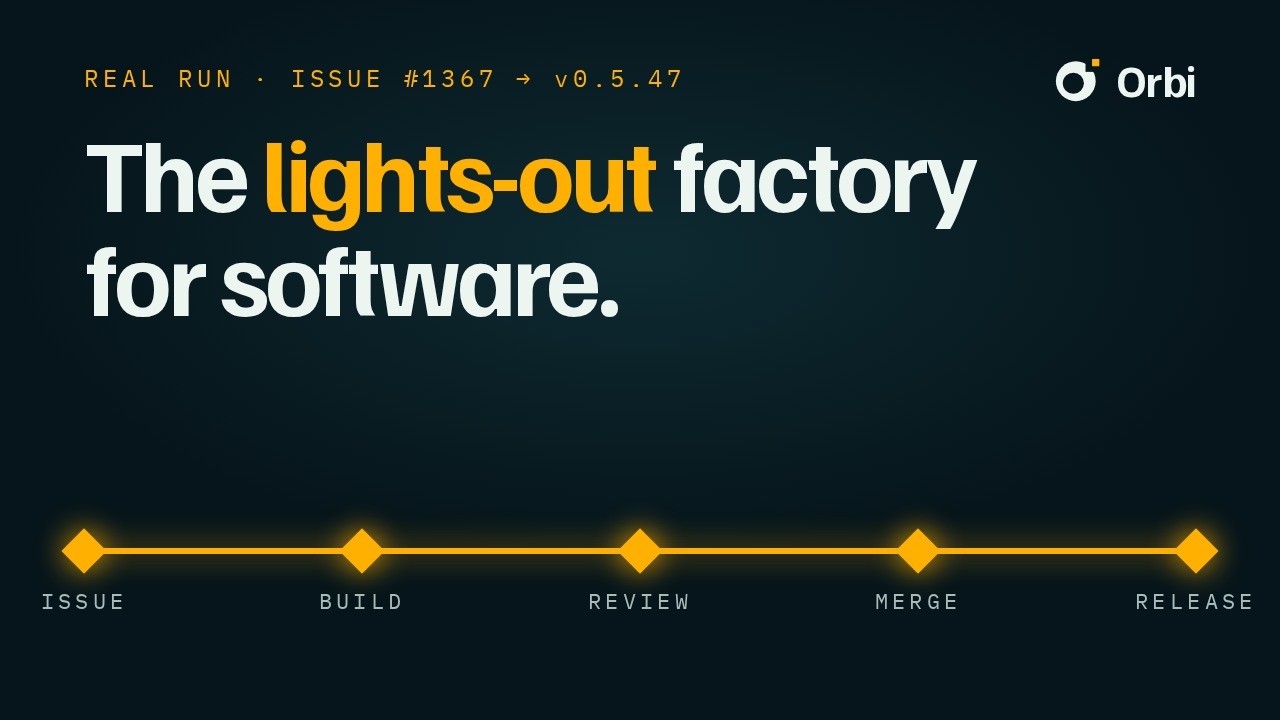](https://youtu.be/zvPnE2whb08) **See one real loop:** [Issue #1367](https://github.com/orbi-build/orbi/issues/1367) → [PR #1370](https://github.com/orbi-build/orbi/pull/1370) → [Release v0.5.47](https://github.com/orbi-build/orbi/releases/tag/v0.5.47) Orbi is an open-source **software dark factory**: a software delivery system for GitHub. You define the goal and acceptance criteria in an Issue and label it `ai-ready`; Orbi implements it in an isolated worktree, runs tests, opens a PR, and takes it through independent review, fixes, and merge. When you request a release, Orbi runs the release gates and publishes the tag and release notes. GitHub Issues are the only state store—no database, queue, or daemon. **Ledger:** [merged PRs](https://github.com/orbi-build/orbi/pulls?q=is:merged) · [closed Issues](https://github.com/orbi-build/orbi/issues?q=is:closed) · [tagged releases](https://github.com/orbi-build/orbi/releases) — the repository is the record. Website <https://orbi.build> | Documentation <https://docs.orbi.build/> | [Discussions](https://github.com/orbi-build/orbi/discussions) | Docker [GHCR](https://ghcr.io/orbi-build/orbi) · [Docker Hub](https://hub.docker.com/r/orbibuild/orbi) **Prefer to run it yourself?** Follow the Quick start below. Cloud founding members get 50% off forever with the code `FOUNDING50` at checkout (6 places). ## Quick start ```bash git clone https://github.com/orbi-build/orbi.git && cd orbi uv tool install --force --reinstall --editable --python python3 . # compatible system Python (>= 3.14, e.g. Fedora 43 / current Arch); older (e.g. Ubuntu 24.04's 3.12): --python 3.14 so uv provisions it ``` Want just the CLI? It's on PyPI as [`orbi-cli`](https://pypi.org/project/orbi-cli/) (requires Python ≥ 3.14; the command stays `orbi`): `uv tool install orbi-cli` (older system Python: add `--python 3.14` so uv provisions one) or `pip install orbi-cli` in a Python ≥ 3.14 environment; verify with `orbi --version` → `orbi <version>`, uninstall with `uv tool uninstall orbi-cli`. To run Orbi itself, use the one-line installer at the top of [Getting started](docs/getting-started.mdx) — it creates the editable install Orbi's deployment drives. ### Ready check (before setup) - `uv`: `uv --version`; Pi and its provider: `pi --version`, then `pi --print "reply with the single word: ok"` - GitHub CLI ≥ 2.94 ([official repository](https://github.com/cli/cli/blob/trunk/docs/install_linux.md) — Ubuntu 24.04's package 2.45.0 is too old): run `gh auth login` once, then verify `gh auth status` - Linux — systemd user session: `systemctl --user status` - macOS — launchd GUI session: `launchctl print gui/$(id -u)` (not yet verified on real hardware; reports welcome) Choose the mode in [Getting started](docs/getting-started.mdx): bootstrap uses this checkout as `repo_dir`; [External single-repo mode](docs/getting-started.mdx#external-single-repo-mode-deploy_home) uses it as `deploy_home` and a foreign repository as `repo_dir`. ```bash cp src/orbi/example_config.toml orbi.toml # edit orbi.toml: set source_repos = ["OWNER/REPO"] (the repository whose Issues Orbi delivers) orbi setup --config orbi.toml # 4. run one-time setup (checks prior gh auth, labels, scheduler units (systemd/launchd), and checkout; idempotent) PYTHONPATH=src python3 -m orbi.runner --config orbi.toml # 5. manually run one tick (for initial verification; the timer schedules normal runs) orbi doctor --config orbi.toml # 6. verify deployment health ``` ## The loop, in 35 seconds Another real delivery, recorded from the live GitHub pages — including the review that rejected the first attempt: <video src="https://github.com/user-attachments/assets/1f0d3a62-5fc9-44ae-bf68-b312a6a55f85" controls muted></video> 1. **An issue** — a bug, labelled `ai-ready` 2. **It writes the code** — PR #1023, on a recorded base SHA 3. **The review says no** — one Major finding, naming `src/orbi/release.py:2377` and the fix 4. **It fixes itself** — more commits, until the checks go green 5. **It merges** — 9 commits, +427/−43, only after the review passed 6. **A tagged release** — v0.5.17, with the Issue and PR in the notes ## Why Orbi - **GitHub Issues are the task pool**: the `ai-ready` label dispatches work, and the delivery record (comments, PRs, and CI) is complete by default, with no second task system; - **Fully automated**: a user scheduler timer (systemd on Linux, launchd on macOS) triggers a tick every 5 minutes. Normal operation needs no status command, polling, or supervision; - **Independent review + merge gates**: after a PR opens, an independent review session reviews it and fixes findings in the same session. Only the reviewed head can merge, and AI never merges or pushes protected branches; - **Fail fast**: command errors fail immediately and leave the evidence in the logs. The Issue is marked `ai-blocked` for a human decision, with no silent fallback; - **Observable end to end**: every journal log and GitHub progress comment carries the same `run_id`, so the complete timeline can be reconstructed with one grep. ## What it does ```text GitHub Issue (ai-ready) → Claim: create a feature branch + isolated worktree (from the frozen origin/main SHA) → Pi development: plan → implement → test → verify → Commit delivery (the Agent stops at the commit) → Runner closeout: sync the latest base, push, and create a PR (body includes Fixes #N) → Independent review (fixes in the same session) → merge gate → merge ``` - Each task gets its own run: the branch, worktree, logs, and PR are all associated with the same `run_id`; retries create a new run and preserve the old evidence unchanged; - Failures are classified clearly: recoverable failures return to the same PR for continued fixes, while unrecoverable failures mark the Issue `ai-blocked` for a human; - Supports `orbi add` for dispatching work, `status` for viewing the queue, `session` for following the Pi session, `install-units` for idempotently installing the scheduler units (systemd on Linux, launchd on macOS), and `doctor` for read-only diagnostics. ## Documentation | Topic | Entry point | |---|---| | Documentation home | <https://docs.orbi.build/> | | Getting started (prerequisites, configuration, first run, smoke test) | [Getting started](docs/getting-started.mdx) | | One-time setup (labels, units, transport migration) | [One-time setup](docs/setup.mdx) | | Workflow (state chain, labels, P0, Epic, Release) | [Workflow](docs/workflow.mdx) | | Operations (timer, journal, unit drift, recovery) | [Operations](docs/operations.mdx) | | Public contracts (interface inventory, status and progress formats) | [Public contracts](docs/public-contracts.mdx) | | Testing, coverage gates, and remote CI | [Testing](docs/testing.mdx) | | Contributing (Issue granularity, KISS/LEAN, PR flow) | [Contributing](docs/contributing.mdx) | | Chinese documentation | [docs/zh/](docs/zh/) | ## Development and contribution See the development contract in [AGENTS.md](AGENTS.md), and [Contributing](docs/contributing.mdx) for dispatching Issues, reporting bugs, and submitting PRs. Runtime code lives in the `src/orbi/` package (Issue #168 src layout; the editable finder maps the whole package, so new modules need no reinstall). The checkout root has no `orbi.py` (it would shadow the installed package); the compatibility entry point is `python3 -m orbi.cli`, not the formal usage path. ## License Orbi is **open source under the [GNU AGPL-3.0](LICENSE)**, with the **[Sustainable Use License](docs/licenses/sustainable-use-license.md)** (v1.0) as an alternative. Pick either license. In practice: - **Run Orbi on your own repositories for free forever**—personal or internal company use, at any scale, under either license. Modify it, self-host it, run it across a thousand repositories; no authorization needed. - **You may share it**—free of charge for non-commercial purposes under the SUL; under AGPL-3.0, offering a modified Orbi as a network service means publishing your changes. - **Commercial authorization is needed only to sell Orbi itself**—hosting it as a service for customers or embedding it in a paid product (SUL); AGPL-3.0 has no such restriction. Unsure which side your use falls on? Ask in [Discussions](https://github.com/orbi-build/orbi/discussions).
历史前置条件说明(补充参考)
Python(源码安装标注 >= 3.14,CLI 同样要求 >= 3.14)、uv、Pi 及其模型 provider(具体支持模型待核验)、GitHub CLI >= 2.94 并完成 gh auth login 授权、Linux systemd 用户会话或 macOS launchd GUI 会话(macOS 路径未在实机验证)、待交付仓库的 Issue 写权限与分支/PR 权限;模型 API Key 形态与费用待核验;托管版 Orbi Cloud 价格与额度待核验;Windows 支持待核验。
项目来源与清单版权许可
https://github.com/orbi-build/orbi
整理来源:https://github.com/slavakurilyak/awesome-ai-agents
清单版权与许可:
MIT License
Copyright (c) 2024 Slava Kurilyak
Permission is hereby granted, free of charge, to any person obtaining a copy of this software and associated documentation files (the "Software"), to deal in the Software without restriction, including without limitation the rights to use, copy, modify, merge, publish, distribute, sublicense, and/or sell copies of the Software, and to permit persons to whom the Software is furnished to do so, subject to the following conditions:
The above copyright notice and this permission notice shall be included in all copies or substantial portions of the Software.
THE SOFTWARE IS PROVIDED "AS IS", WITHOUT WARRANTY OF ANY KIND, EXPRESS OR IMPLIED, INCLUDING BUT NOT LIMITED TO THE WARRANTIES OF MERCHANTABILITY, FITNESS FOR A PARTICULAR PURPOSE AND NONINFRINGEMENT. IN NO EVENT SHALL THE AUTHORS OR COPYRIGHT HOLDERS BE LIABLE FOR ANY CLAIM, DAMAGES OR OTHER LIABILITY, WHETHER IN AN ACTION OF CONTRACT, TORT OR OTHERWISE, ARISING FROM, OUT OF OR IN CONNECTION WITH THE SOFTWARE OR THE USE OR OTHER DEALINGS IN THE SOFTWARE.